
Time-Saving Computer Tips
If you ever feel like the work you’re doing on your computer is tedious, e.g., selecting Edit from the menu then Copy and Paste; selecting File from the menu then Print to print a document; deleting a whole line of text letter by letter with the delete or backspace key, using your phone to take a picture of your computer screen, etc., then these graphics below are for you!
Here are some common keyboard shortcuts that can save you both time and carpal tunnel fatigue.
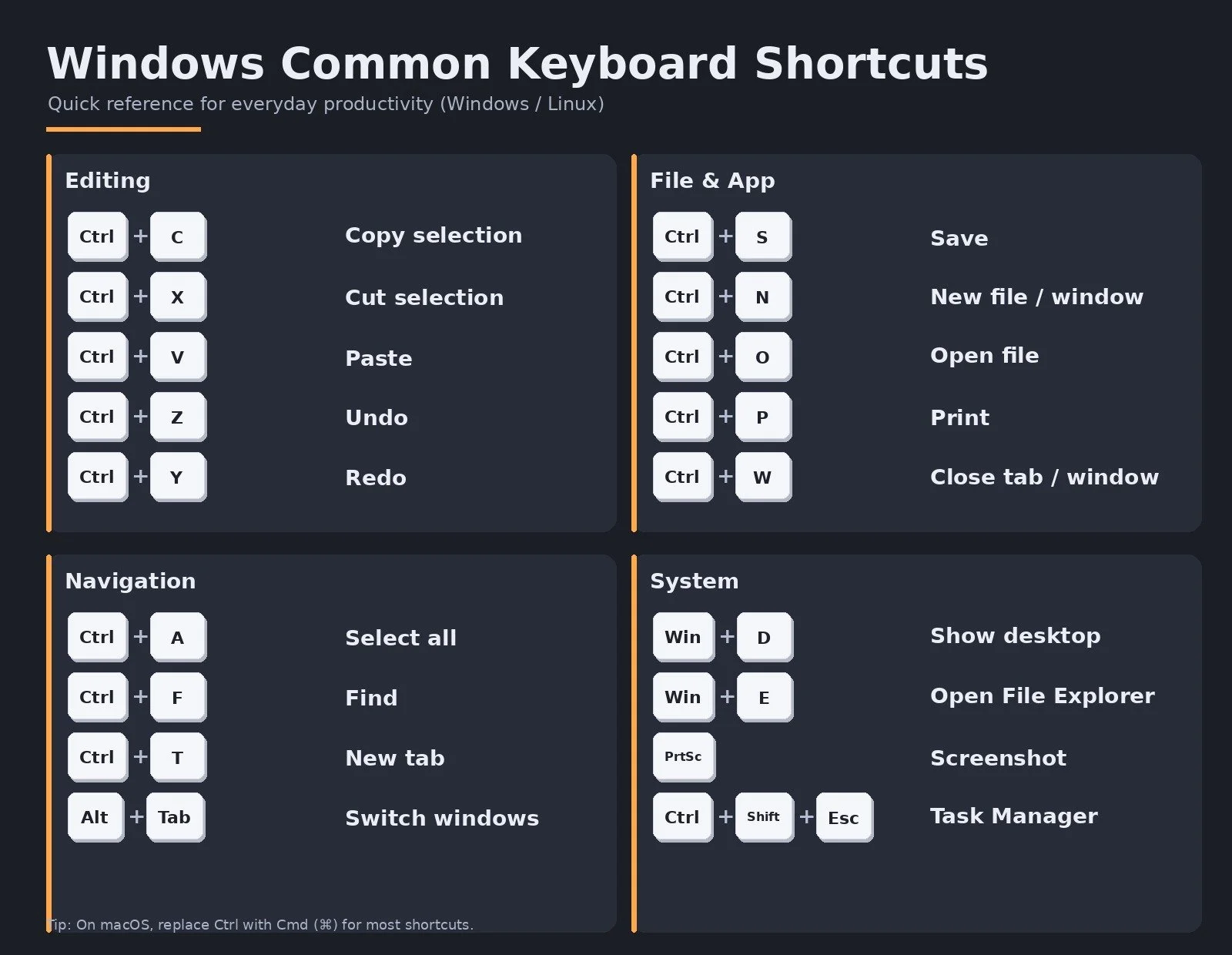
Click on the button below for a printable version with a white background
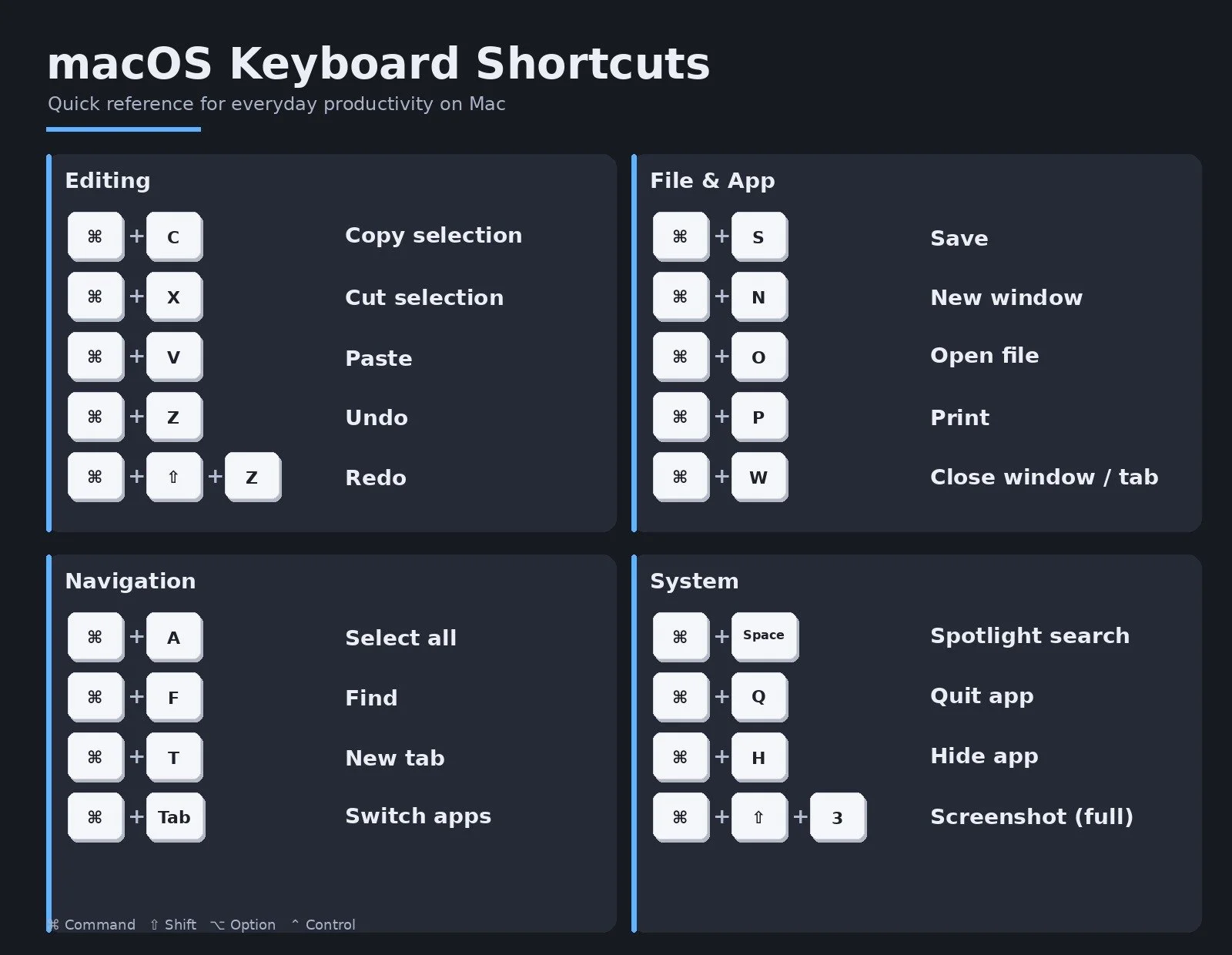
Click on the button below for a printable version with a white background
Here are a few more time savers:
Instead of dragging your pointer over a word to highlight it, try double clicking the word
Triple clicking will select the entire line or paragraph, depending on the program
When text is highlighted, you don’t have to delete it first before typing new text. Simply start typing, and your new text will replace it
If you really want to minimize moving your hand around, try right-clicking text to copy, cut, or paste